The app tells you the exact moment the Sun or Moon sits where you want it. The server does the maths; you just choose the target, the method and the date.
Choose what you'll photograph
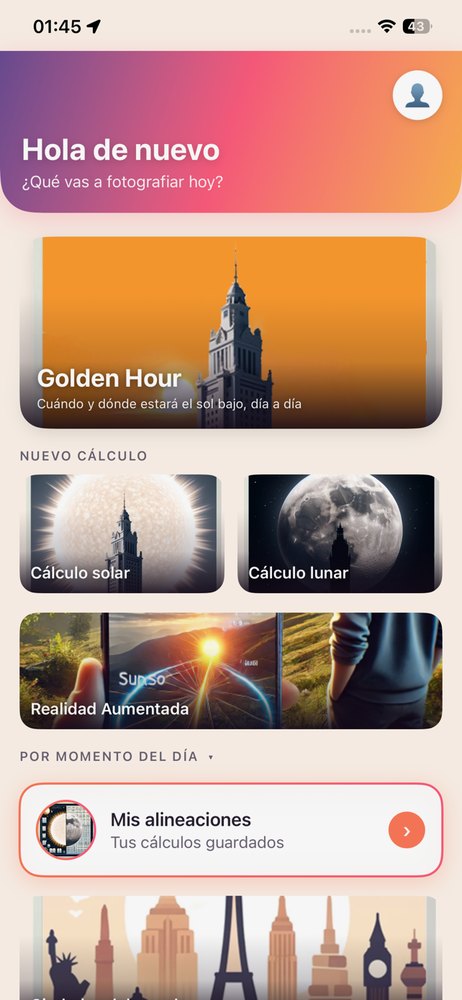
When you open the app you'll see the home screen with several cards. Each one opens a type of calculation:
- Golden Hour: when and where the Sun will be low, day by day across the year.
- Photo with the Sun or Moon aligned: the moment the body is aligned with your target.
- Solar and lunar path: the body's route across the whole day, to view in augmented reality.
Choose the body and the method
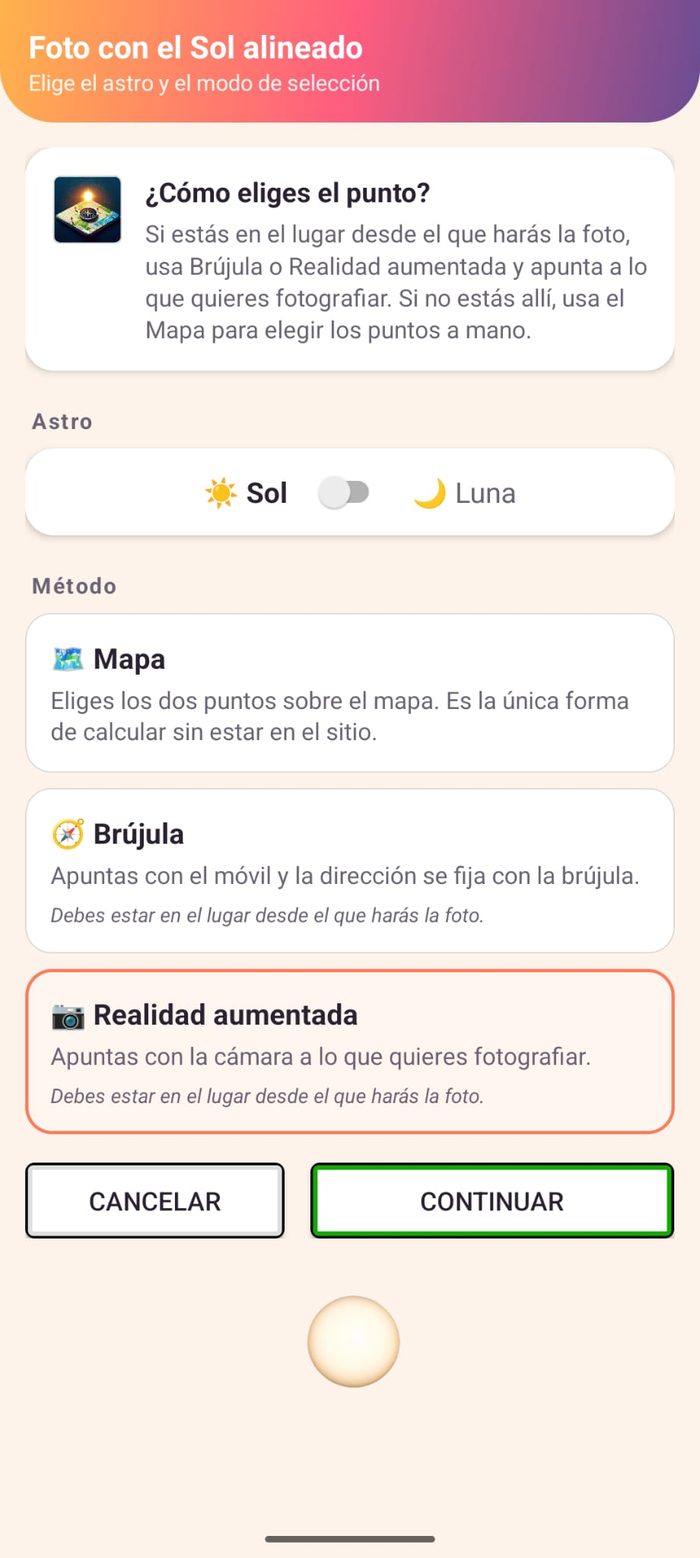
In an alignment you first pick the body (Sun or Moon) and how you want to mark the points:
- Map Mark the two points on the map. It's the only way to calculate without being on site.
- Compass Point with your phone and the direction is locked with the compass. You must be there.
- Augmented Reality Point the camera at what you want to photograph. You must be there.
Mark the points and the date
If you use the map, you search the city or use your position and mark the photographer's point and the target (a building, a mountain…). You pick the date you want to take the photo, give it a name and tap Request calculation.
The server calculates and you see the result
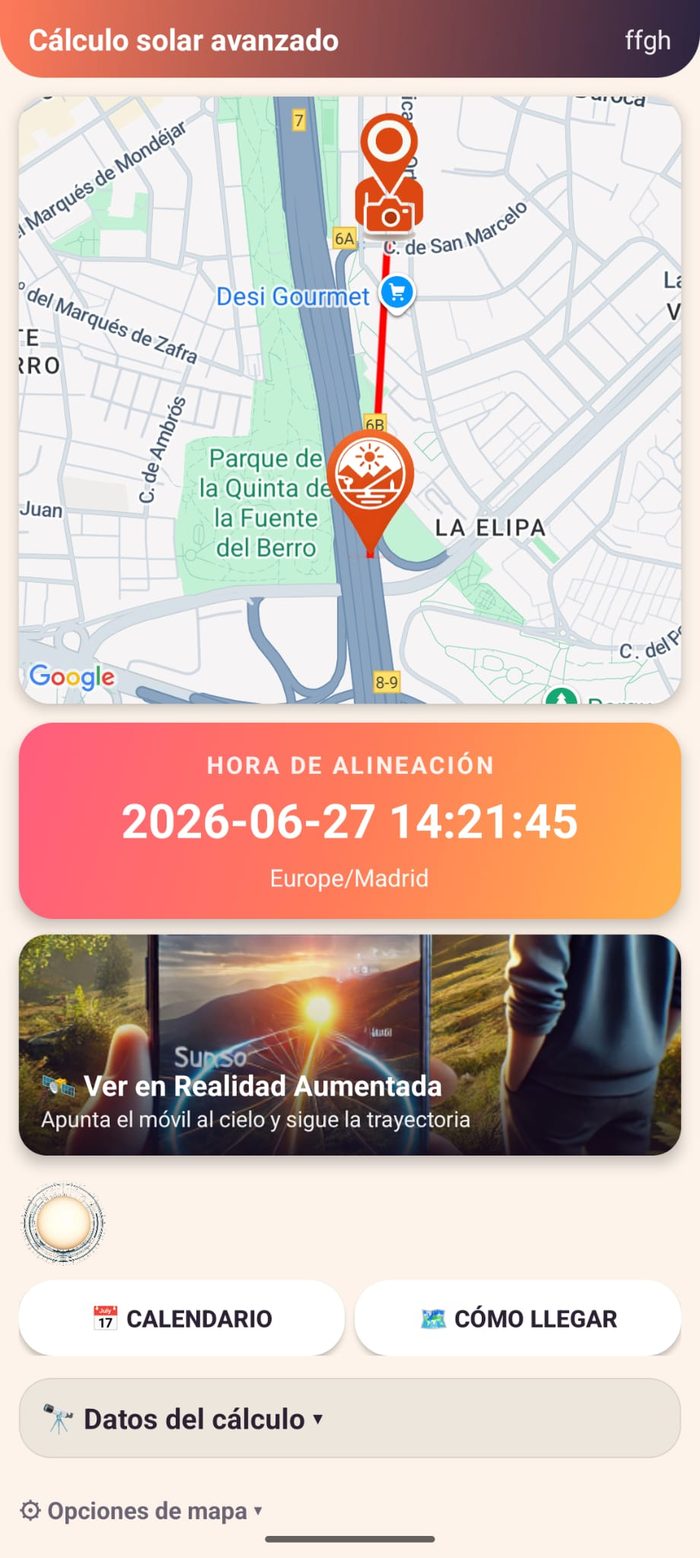
The calculation runs on the server. When it finishes, the result shows the map with the line from photographer to target and a large card with the alignment time: date, time and time zone. From there you can view it in augmented reality, add it to your calendar or get directions.
And there's more
- My alignments: all your saved calculations, with their date, name and type.
- World cities: a selection of cities with landmark buildings and alignments already calculated, for inspiration.